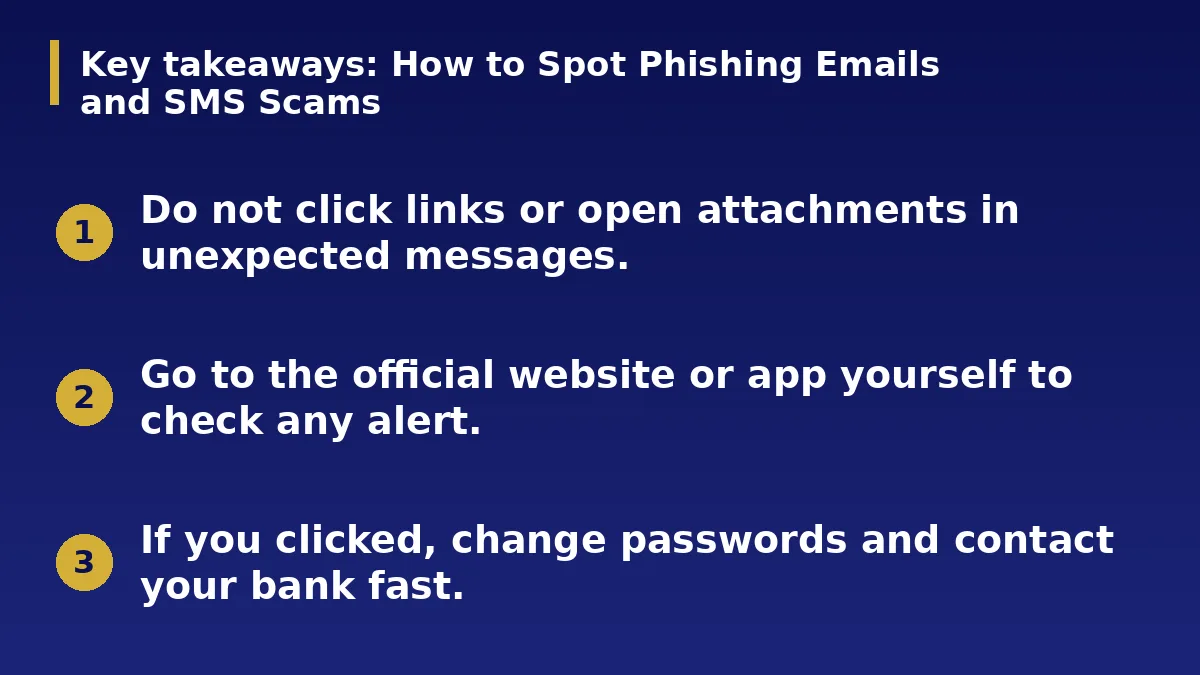
- Do not click links or open attachments in unexpected messages.
- Go to the official website or app yourself to check any alert.
- If you clicked, change passwords and contact your bank fast.
The Short Answer
Phishing messages pretend to be a bank, delivery company, employer or friend to trick you into sharing passwords, PINs or codes. They come by email, text, chat apps and calls. A few simple habits stop most of them.
Common Warning Signs
Urgent language such as your account will be closed today, requests for PINs, passwords or one-time codes, unexpected prizes, links with strange addresses and poor spelling are all warning signs.
Messages that make you feel afraid or excited are designed to make you act before you think. Slow down.
Check Before You Click
Do not use the link in the message. Open the official app or type the website address yourself and check for the same alert. Call the organisation using the number on your card or official site.
Hover over links on a computer to see where they lead, and be careful with shortened links.
Protect Your Accounts
Use a different strong password for each account and a password manager to keep track. Turn on two-factor authentication, preferably with an authenticator app. Never share one-time codes with anyone, even someone claiming to work for your bank.
Keep your phone and apps updated for security fixes.
If You Clicked or Shared Details
Change the affected passwords immediately from a safe device, and contact your bank at once if you shared financial details or codes. Check your accounts for unfamiliar activity and turn on alerts.
Report the message to the organisation being imitated and to the relevant authority, and warn family and friends.
Real Examples of Scam Messages
Typical scams include a message saying a delivery failed and asking you to pay a fee through a link, a text claiming your account is frozen, a fake job offer asking for a payment, and a friend whose account was hacked asking for urgent money.
In each case the scammer wants you to act fast and outside the official channel.
Protect Family and Staff
Talk to older relatives and younger people about these scams. Agree a simple rule: no one shares codes or sends money after a message without a call to confirm.
At work, share examples with colleagues and report suspicious messages to the person responsible for security.
Tools That Help
Turn on spam filters, update your phone and email apps and use a password manager that warns about fake sites. Enable alerts for sign-ins and transactions.
Back up important files so a scam attack does not destroy your records.
Action Checklist
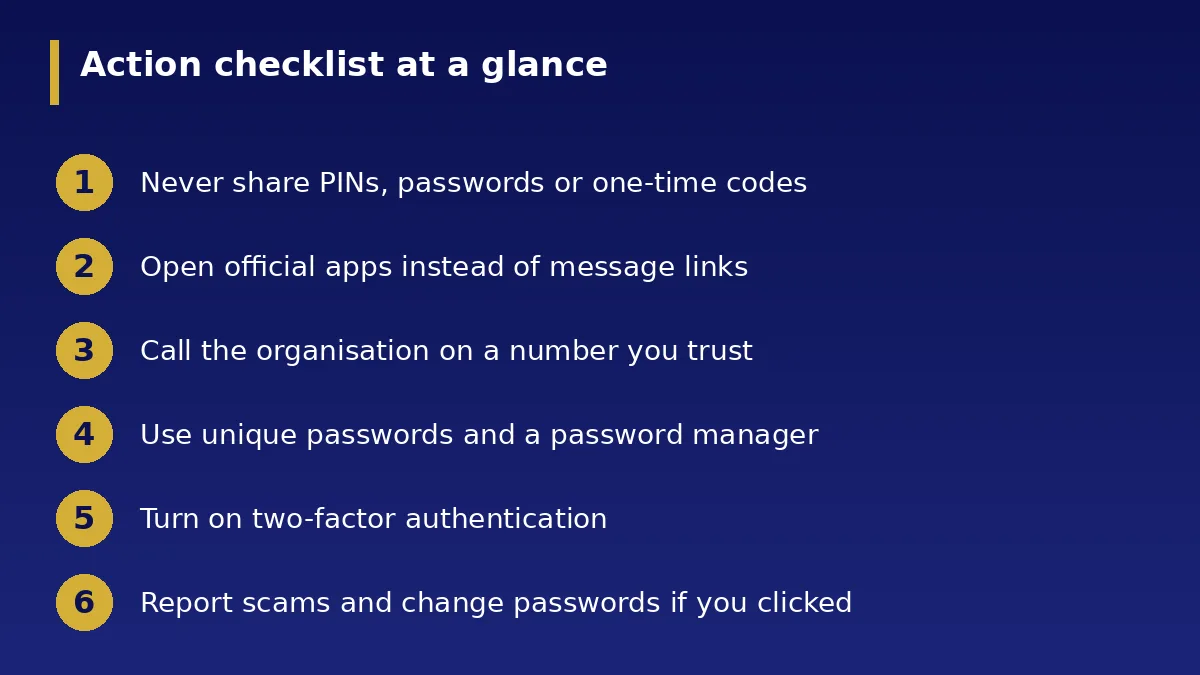
- Never share PINs, passwords or one-time codes
- Open official apps instead of message links
- Call the organisation on a number you trust
- Use unique passwords and a password manager
- Turn on two-factor authentication
- Report scams and change passwords if you clicked